
 Counter-Strike 2
 Valorant
 Dota 2
 League of Legends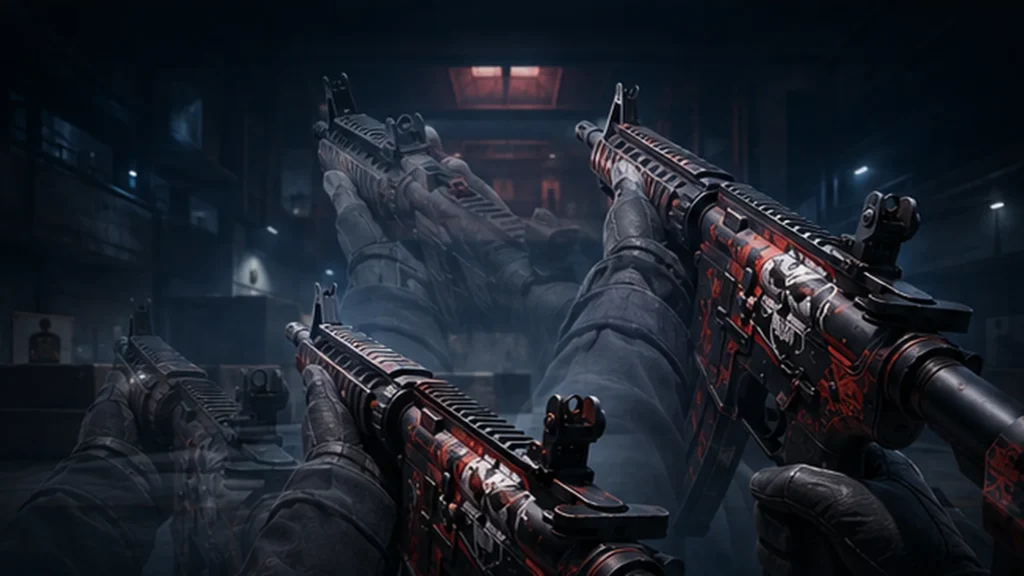
Most players pick one menu preset and stop there. CS2 viewmodel commands let you control the weapon model’s field of view, lateral position, depth, height and handedness much more precisely.
Reference build: CS2 build 24537688, released August 3, 2026.
Recommended starting point: Use viewmodel_fov 68, viewmodel_offset_x 2.5, viewmodel_offset_y 0 and viewmodel_offset_z -1.5. The current tracked viewmodel-FOV range is 60–68. These settings change only the first-person weapon model: they do not widen camera FOV, improve FPS or affect hit registration.
Key Takeaways
- CS2 currently supports four numeric viewmodel controls, a preset selector, a preferred-hand setting and three hand-switch commands.
viewmodel_fovchanges how large the weapon and hands appear. It does not widen your view of the map.- The best all-round starting point is:
viewmodel_fov 68
viewmodel_offset_x 2.5
viewmodel_offset_y 0
viewmodel_offset_z -1.5

cl_prefer_lefthanded 0
bind "h" "switchhands"- The old
cl_righthand, bob, viewmodel-shift and viewmodel-recoil commands are not present in the current CS2 command registry. - Pro settings are useful references, not timeless facts. Weapon obstruction, skin visibility, handedness and aspect ratio matter more than copying one player’s exact values.
Every CS2 Viewmodel Command
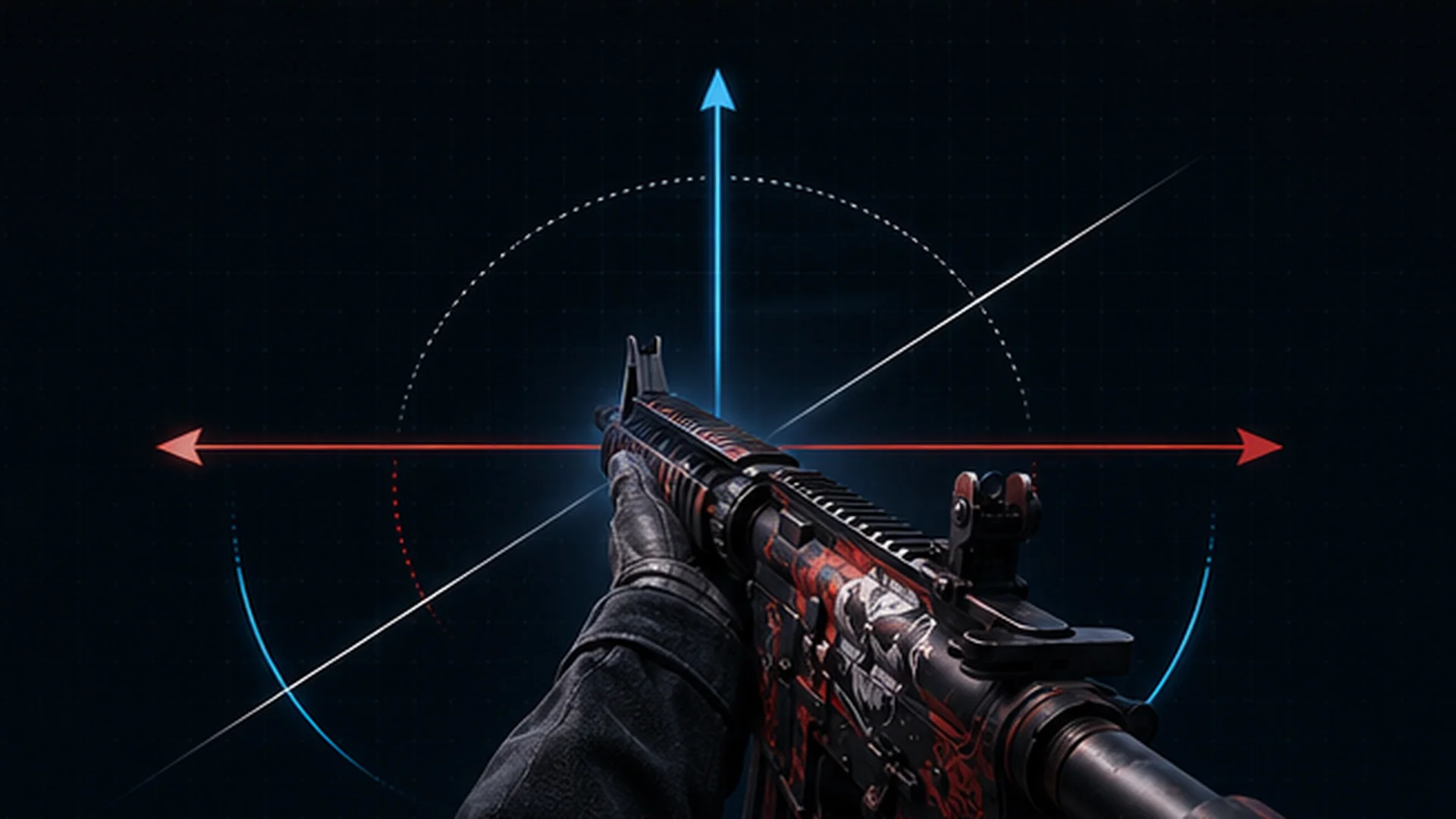
For normal play, CS2 exposes four numeric position controls, a preset selector, a saved hand preference and three hand-switch commands.
The core commands are normal client settings. They do not require sv_cheats and can be used in Premier, Competitive, FACEIT and community servers.
| Command | What it changes | Current value or range | Default | Normal matches |
|---|---|---|---|---|
viewmodel_fov |
Field of view used to draw the weapon and hands | 60–68 in the current tracked registry |
60 |
Yes |
viewmodel_offset_x |
Lateral weapon position | -2–2.5 |
1 |
Yes |
viewmodel_offset_y |
Forward or backward depth | -2–2 |
1 |
Yes |
viewmodel_offset_z |
Vertical weapon position | -2–2 |
-1 |
Yes |
viewmodel_presetpos |
Selects a built-in position preset | Registry lists 1 = Desktop, 2 = Classic |
1 |
Yes |
cl_prefer_lefthanded |
Saves the preferred starting hand | 0 = right, 1 = left |
0 |
Yes |
switchhands |
Toggles the current hand | Command | — | Yes |
switchhandsleft |
Forces the current viewmodel to the left | Command | — | Yes |
switchhandsright |
Forces the current viewmodel to the right | Command | — | Yes |
cl_righthand |
Legacy CS:GO handedness cvar | Not present in the current registry | — | Use the newer commands |
The current tracked minimum for viewmodel_offset_x is -2, not the -2.5 value still repeated in some older command lists.
What each offset changes
- X offset: Moves the weapon laterally across the screen.
- Y offset: Changes how far forward or backward the model appears.
- Z offset: Raises or lowers the model.
The visual result depends on the weapon. An AWP, M4A1-S, pistol, grenade and knife can occupy very different areas even when all four values stay the same.
Desktop and Classic presets
The current registry names two built-in presets:
viewmodel_presetpos 1— Desktopviewmodel_presetpos 2— Classic
The registry does not expose the exact FOV, X, Y and Z tuple applied by each preset. For a custom setup, save the four numeric values directly rather than relying on the preset number alone.
Left- and right-hand viewmodels
Use the saved preference when you want to begin with the weapon on one side:
cl_prefer_lefthanded 1Use 0 to prefer the right hand:
cl_prefer_lefthanded 0For an on-demand toggle:
bind "h" "switchhands"You can create the same command through BO5’s CS2 binds generator.
Valve describes changing hands as a weapon redeploy rather than an instantaneous visual mirror. Avoid placing the bind on a key you may press accidentally during a fight.
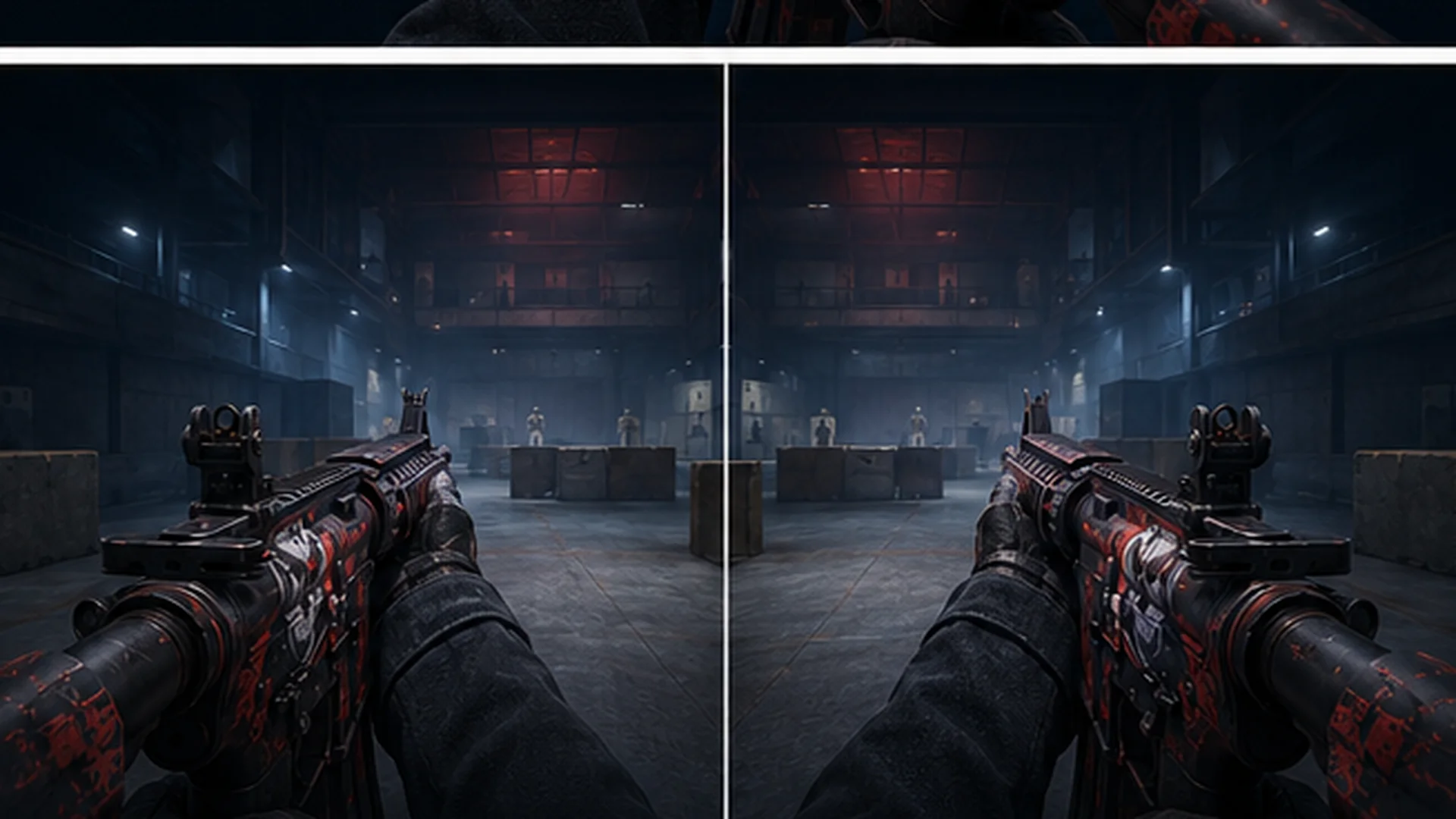
A left-hand model clears more of the right side of the screen but occupies more of the left. The better side depends on the angle, your visual habits and which part of the screen you find more distracting.
Commands that are not normal matchmaking settings
r_drawviewmodel can hide the first-person model, but it is cheat-protected. It is not available as an ordinary Premier or Competitive setting.
The same distinction applies to camera-debug commands covered later in this guide. Normal viewmodel positioning is matchmaking-safe, while camera and model-removal tools belong in local or privately controlled practice sessions.
Best CS2 Viewmodel Settings
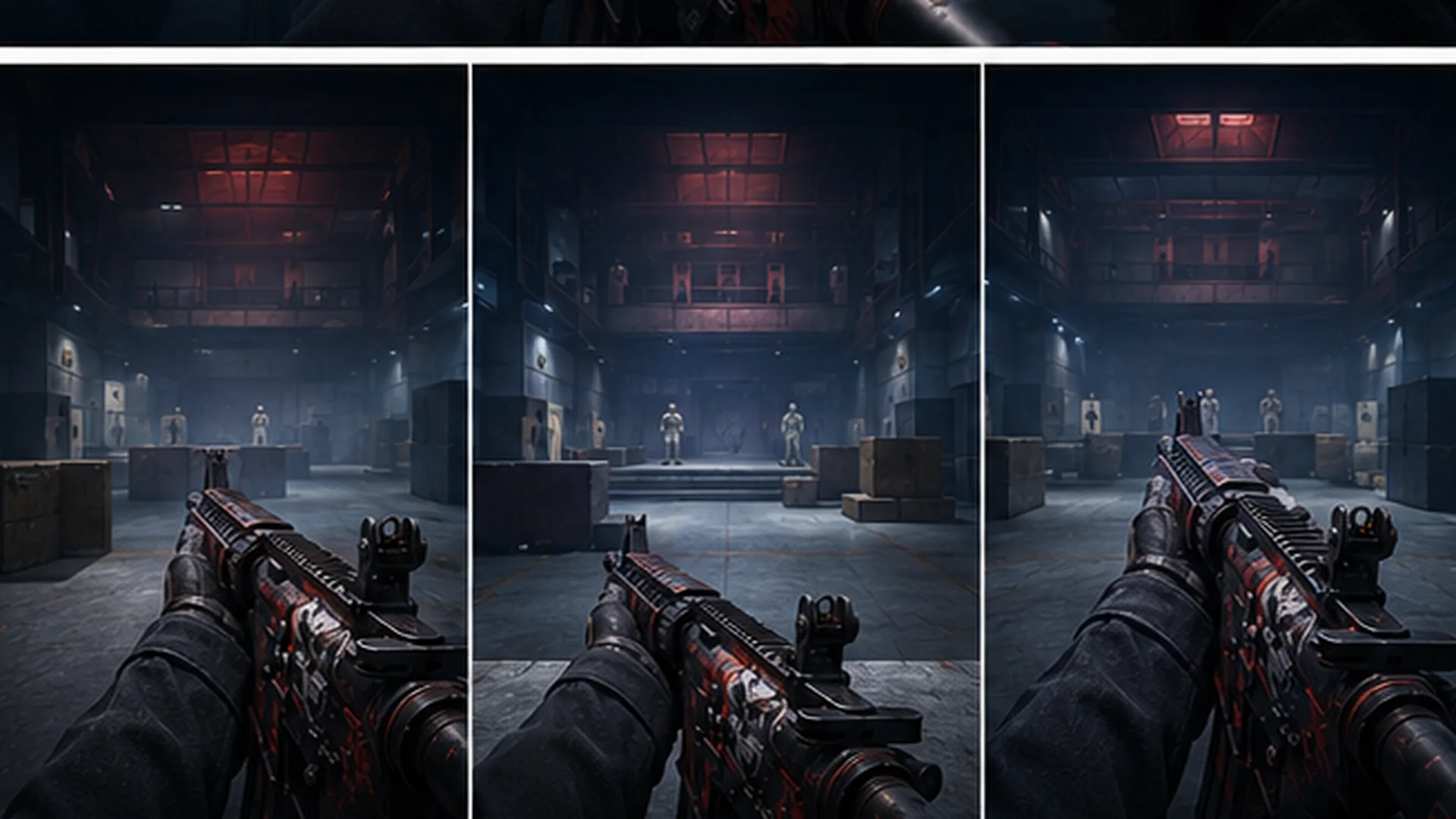
The most practical all-round setup is the same numeric combination found across several dated professional-player snapshots:
viewmodel_fov 68
viewmodel_offset_x 2.5
viewmodel_offset_y 0
viewmodel_offset_z -1.5
This uses the maximum currently tracked viewmodel FOV, places the model near the outer edge of its lateral range and keeps it relatively low.
It is a visibility-oriented starting point, not an aiming upgrade.
Recommended all-round config
viewmodel_fov 68
viewmodel_offset_x 2.5
viewmodel_offset_y 0
viewmodel_offset_z -1.5

cl_prefer_lefthanded 0
bind "h" "switchhands"
Why these values work well together:
viewmodel_fov 68makes the first-person model appear smaller.viewmodel_offset_x 2.5pushes it toward the lateral limit.viewmodel_offset_y 0keeps the depth between the two extremes.viewmodel_offset_z -1.5lowers the model without using the minimum value.
Do not add viewmodel_presetpos to this block. Current pro-config snapshots associate the same numeric tuple with several different stored preset IDs, so the four values are more useful than the preset metadata.
Default CS2 viewmodel
Use this block to restore the registry defaults:
viewmodel_fov 60
viewmodel_offset_x 1
viewmodel_offset_y 1
viewmodel_offset_z -1
The default makes the weapon more prominent than the all-round setup. It is also the cleanest baseline when you no longer remember which individual offset you changed.
Low and wide variant
Players looking for the smallest-looking weapon should begin with the maximum viewmodel FOV:
viewmodel_fov 68
viewmodel_offset_x 2.5
viewmodel_offset_y 0
viewmodel_offset_z -2
The FOV value changes the apparent scale. The offsets reposition the model rather than universally shrinking it.
Test this setup with several weapon classes. Minimum Z may feel clean with one rifle but awkward with grenades, pistols or a knife animation.
NiKo-style near-consensus preset
A slightly less extreme X position keeps the rest of the common pro-style composition:
viewmodel_fov 68
viewmodel_offset_x 2
viewmodel_offset_y 0
viewmodel_offset_z -1.5
This is useful when X at 2.5 feels too far toward the edge.
Alternative high-depth preset
A dated sh1ro snapshot provides a substantially different option:
viewmodel_fov 65
viewmodel_offset_x 2.5
viewmodel_offset_y 2
viewmodel_offset_z -2
This is not a universal AWP preset. It is a useful reminder that strong players do not all converge on the same composition.
16:9, 1920×1080 and 4:3 stretched
Viewmodel command limits do not change with resolution or aspect ratio. The final composition does.
At 4:3 stretched, the complete rendered image is expanded horizontally. The weapon, hands, crosshair and world therefore look wider than they do at native 16:9.
The same 68 / 2.5 / 0 / -1.5 tuple appears in reviewed snapshots at both 1280×960 stretched and 1920×1080 native. That does not mean it looks identical on both displays.
Use the same values as a starting point, then judge:
- how much of the lower centre is covered;
- whether a long rifle extends too far inward;
- whether the hand overlaps an angle you hold regularly;
- how the weapon looks after horizontal stretching.
Once the viewmodel feels comfortable, check the rest of your visual setup with BO5’s CS2 crosshair generator and confirm your sensitivity through the CS2 eDPI calculator.
How to Change Your Viewmodel in CS2
1. Choose a menu preset
Open:
Settings → Game → Item
Use the Viewmodel Position option to choose a built-in preset. The same section contains the preferred left- or right-handed setting.
Menu presets are quick. They do not expose each numeric offset separately.
2. Enable the developer console
Open Settings → Game and set Enable Developer Console (~) to Yes.
Press the tilde key, then paste a command:
viewmodel_fov 68Paste the complete recommended block when you want to change all four values at once.
3. Check the final values
Enter a command without a new value to inspect its current state:
viewmodel_fov
viewmodel_offset_x
viewmodel_offset_y
viewmodel_offset_z
cl_prefer_lefthanded
This helps identify clamped values or a menu preset that has overwritten a custom setting.
4. Save the setup in an autoexec
The numeric viewmodel controls and preferred-hand setting are intended to persist in the user configuration. An autoexec remains useful when you want a readable, portable config.
Create:
...steamappscommonCounter-Strike Global Offensivegamecsgocfgautoexec.cfgAdd:
viewmodel_fov 68
viewmodel_offset_x 2.5
viewmodel_offset_y 0
viewmodel_offset_z -1.5

cl_prefer_lefthanded 0
bind "h" "switchhands"

echoln "BO5 viewmodel loaded"
Reload it manually after editing:
exec autoexecIf automatic execution fails, +exec autoexec.cfg can be used as a Steam launch-option fallback.
Common fixes
- If
cl_righthandreturns an unknown-command error, replace it withcl_prefer_lefthandedorswitchhands. - If
viewmodel_offset_x -2.5is changed automatically, use the current tracked minimum of-2. - If settings revert after choosing a menu preset, place the four custom numeric commands after the preset command.
- If the autoexec does not load, confirm that Windows did not save it as
autoexec.cfg.txt. - Run
exec autoexecmanually and check the console for an incorrect path or filename. - Keep separate autoexec files or clearly labelled blocks when multiple people use the same computer.
Viewmodel FOV Is Not Your Camera FOV
viewmodel_fov changes the field of view used to draw the first-person weapon and hands. It does not widen the view of the map around your crosshair.
Camera or world FOV is a separate system. Its debug control is cheat-protected and is not available as a normal competitive setting.
| Setting | What it changes | Availability | Practical use |
|---|---|---|---|
viewmodel_fov |
Apparent size and framing of the gun and hands | Normal matches | Personal viewmodel composition |
fov_cs_debug |
Camera or world field of view | Requires cheat privileges | Local testing, filming or controlled servers |
| Aspect ratio | Shape and horizontal composition of the rendered image | Normal display setting | 16:9, 4:3 stretched, black bars and other layouts |
Use viewmodel_fov when you want the weapon to look larger or smaller.
Use resolution and aspect ratio when choosing how the full game image is presented. A wider aspect ratio can show more horizontal world area, but that is separate from the weapon-model command.
Do not use fov_cs_debug as a normal Premier, Competitive or FACEIT recommendation. It belongs in a local or privately controlled environment where cheat-protected commands are intentionally enabled.
Pro CS2 Viewmodel Settings
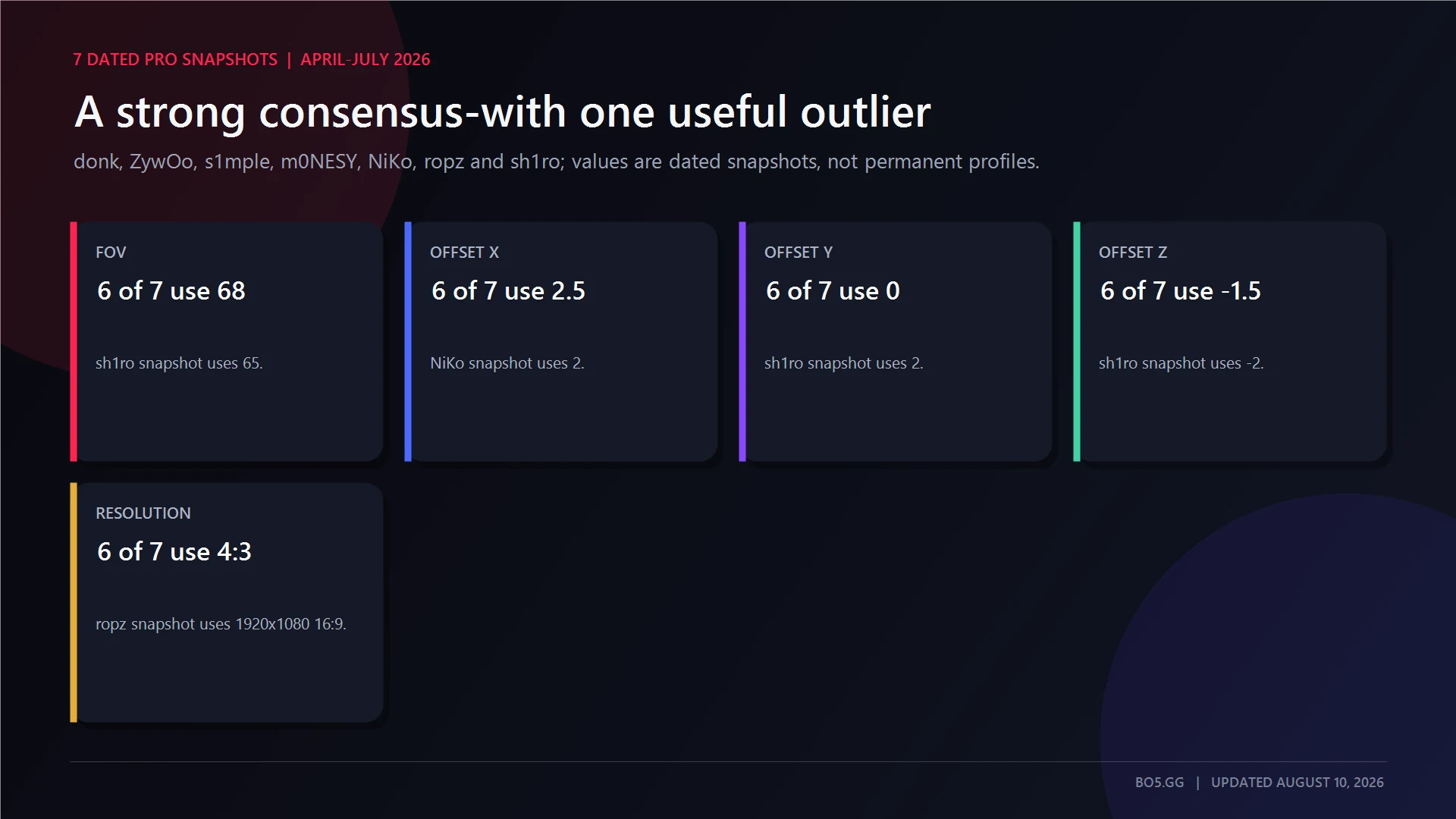
The clearest pattern in the reviewed snapshots is viewmodel_fov 68, X at or near 2.5, Y at 0 and Z at -1.5.
These values are dated source snapshots. They should not be treated as permanent settings or proof that a player used the same configuration at every event.
| Player | Team shown in snapshot | FOV | X | Y | Z | Resolution | Snapshot date |
|---|---|---|---|---|---|---|---|
| donk | Team Spirit | 68 | 2.5 | 0 | -1.5 | 1280×960, 4:3 stretched | July 30, 2026 |
| ZywOo | Team Vitality | 68 | 2.5 | 0 | -1.5 | 1280×960, 4:3 stretched | July 31, 2026 |
| s1mple | BC.Game | 68 | 2.5 | 0 | -1.5 | 1280×960, 4:3 stretched | July 31, 2026 |
| m0NESY | Team Falcons | 68 | 2.5 | 0 | -1.5 | 1280×960, 4:3 stretched | July 27, 2026 |
| NiKo | Team Falcons | 68 | 2 | 0 | -1.5 | 1280×960, 4:3 stretched | July 27, 2026 |
| ropz | Team Vitality | 68 | 2.5 | 0 | -1.5 | 1920×1080, 16:9 native | April 21, 2026 |
| sh1ro | Team Spirit | 65 | 2.5 | 2 | -2 | 1280×960, 4:3 stretched | June 12, 2026 |
Five of the first six snapshots use the exact 68 / 2.5 / 0 / -1.5 tuple. NiKo pulls X inward to 2, while sh1ro uses a lower FOV, maximum Y and minimum Z.
The shared tuple also appears at both 4:3 stretched and native 16:9. It is a versatile starting point, not a resolution requirement.
Use the BO5 CS2 players directory to check current profiles, teams and match activity before copying any dated player config.
Does Your Viewmodel Affect FPS or Aim?
Viewmodel placement is primarily visual. For measurable frame-rate and latency changes, use the separate BO5 CS2 FPS settings guide.
Normal viewmodel FOV and offset changes do not improve FPS.
They reposition or rescale the first-person weapon model that is already being rendered. They do not change recoil values, bullet spread, hitboxes or server-side hit registration.
Hiding the model with a cheat-protected command would test a different question. It would compare rendering a viewmodel with not rendering one at all, rather than comparing legal competitive positions.
Choose a viewmodel for:
- weapon obstruction;
- visual comfort;
- left- or right-side preference;
- skin and sticker visibility;
- familiarity at your chosen aspect ratio.
For actual performance tuning, use BO5’s CS2 launch-options guide and focus on settings that affect rendering load, frame pacing and latency.
Coming From CS:GO
Do not paste an old CS:GO viewmodel block into CS2 unchanged. Several familiar cvars are absent from the current registry.
cl_righthand: Replaced bycl_prefer_lefthandedand theswitchhandscommand family.- Old bob controls:
cl_bob_lower_amt,cl_bobamt_lat,cl_bobamt_vertandcl_bobcycleare absent. - Viewmodel shift:
cl_viewmodel_shift_left_amtandcl_viewmodel_shift_right_amtare absent. - Viewmodel recoil:
viewmodel_recoilis absent. - New-bob toggle:
cl_usenewbobis absent. - Couch preset: Deprecated; the current registry names Desktop and Classic.
Some config databases still display legacy Bob fields imported from CS:GO. Those values should not be copied into a current CS2 autoexec.
A clean migration block is:
viewmodel_fov 68
viewmodel_offset_x 2.5
viewmodel_offset_y 0
viewmodel_offset_z -1.5
cl_prefer_lefthanded 0
This preserves the current controls without carrying obsolete commands into the file.
Viewmodel Settings for Showing Off Skins
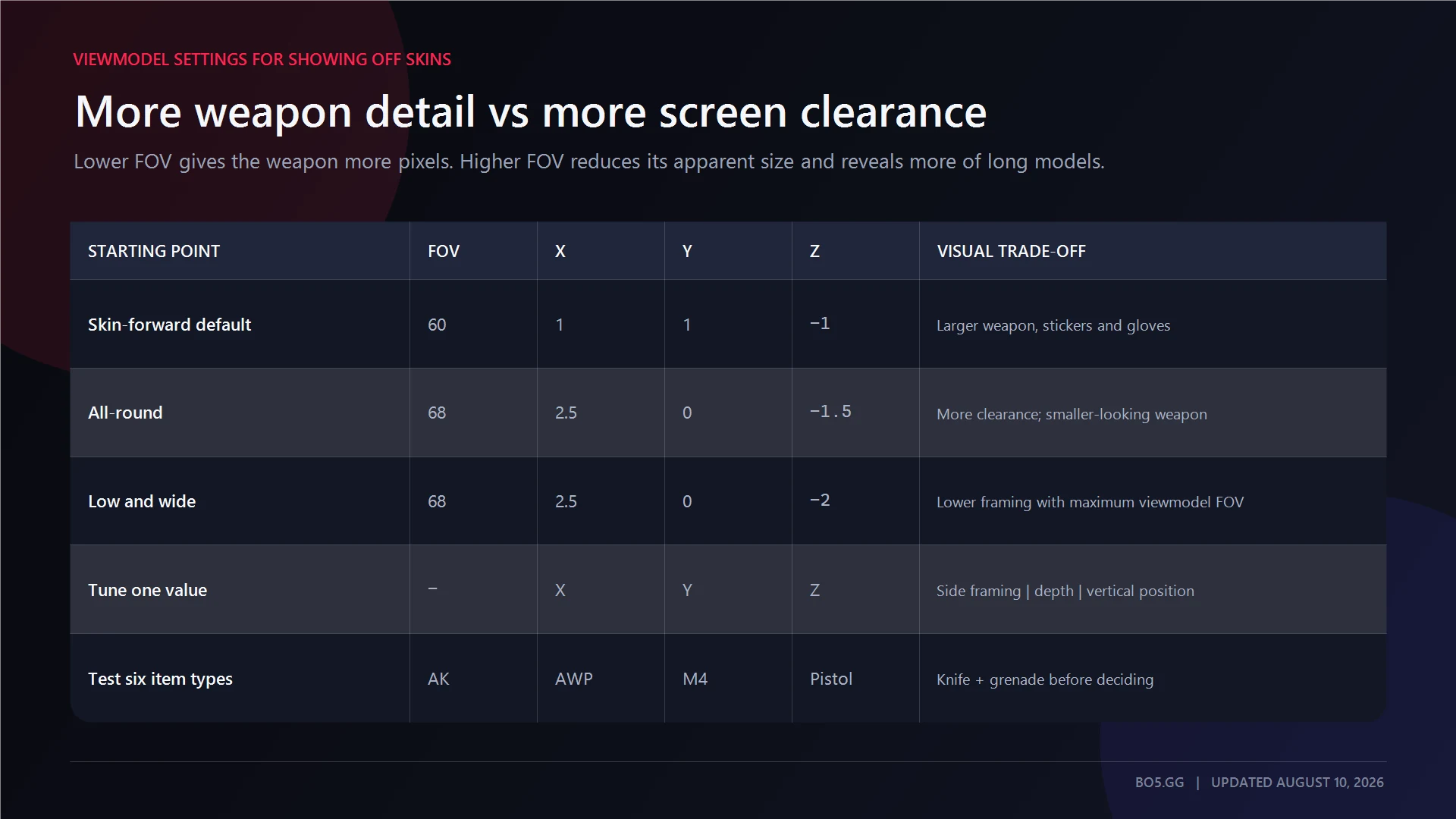
Lower viewmodel FOV makes the weapon, stickers, gloves and finish occupy more pixels. Higher viewmodel FOV makes the model appear smaller and can fit more of a long weapon inside the frame.
For a skin-forward baseline, start with the defaults:
viewmodel_fov 60
viewmodel_offset_x 1
viewmodel_offset_y 1
viewmodel_offset_z -1
Change one offset at a time when setting up the viewmodel. X alters the side-to-side framing, Y changes the apparent depth, and Z moves the weapon higher or lower.
Each value can reveal a different part of the receiver, grip, pattern or glove.
Test an AK-47, AWP, suppressed rifle, pistol, knife and grenade before deciding. You can preview a skin’s float and pattern on BO5’s inspect server while comparing compositions.
Dial In the Rest of Your CS2 Setup
Try the all-round config and play at least one full deathmatch. Then change one value at a time to see how it affects the screen.
Keep each variation for more than a few minutes. A new position can feel wrong at first and become easier to read once you get used to it.
Finish the setup with the crosshair generator, check sensitivity through the eDPI calculator, and use the BO5 CS2 hub for current players, matches and server tools.
FAQs
What is the default viewmodel FOV in CS2?
The default viewmodel FOV is:
viewmodel_fov 60The complete registry-default position is:
viewmodel_fov 60
viewmodel_offset_x 1
viewmodel_offset_y 1
viewmodel_offset_z -1
The current tracked registry lists 60–68 for viewmodel FOV.
Can you change your actual FOV in CS2?
Not through a normal competitive setting.
viewmodel_fov changes the gun and hands but does not widen your view of the map. The separate camera-FOV debug control is cheat-protected and is intended for local or privately controlled servers.
Changing aspect ratio can alter the horizontal composition, but it is not the same as unlocking a competitive camera-FOV slider. For genuine performance configuration, use the CS2 launch-options guide.
What viewmodel does donk use?
A source snapshot dated July 30, 2026 lists:
viewmodel_fov 68
viewmodel_offset_x 2.5
viewmodel_offset_y 0
viewmodel_offset_z -1.5
The snapshot pairs it with 1280×960 at 4:3 stretched.
Treat this as a dated reference, not a timeless setting. The useful takeaway is that the setup uses maximum viewmodel FOV with a low, wide composition.
See donk’s current profile and team information on his BO5 player page.
Does your viewmodel affect hit registration in CS2?
No.
The view model is the first-person weapon representation drawn for the player. Changing its FOV or offsets does not move world hitboxes, change bullet spread or alter server-side hit registration.
What is the smallest viewmodel in CS2?
Set viewmodel_fov to the current tracked maximum of 68. This makes the weapon model appear smaller than the default value of 60.
Offsets then reposition the model. Start with:
viewmodel_fov 68
viewmodel_offset_x 2.5
viewmodel_offset_y 0
viewmodel_offset_z -1.5
Lower Z to -2 only when it improves the composition across the weapons you use.
There is no way to hide the weapon model entirely in a normal match because r_drawviewmodel is cheat-protected.
Should you use a left-hand viewmodel in CS2?
Use whichever side gives you the more comfortable view.
A left-hand model clears more of the right side while covering more of the left. The useful side can therefore change with the angle being held.
Set the preference with:
cl_prefer_lefthanded 1Or bind an on-demand toggle:
bind "h" "switchhands"Valve describes hand switching as a weapon redeploy, so place it on a deliberate key rather than one you may press accidentally. Build the command through BO5’s binds generator.
Written by

Muhib Nadeem
11 published articles
CS2 writer and BO5 editor covering Counter-Strike guides, rankings, skins, and performance fixes.
Recommended posts
August 9, 2026
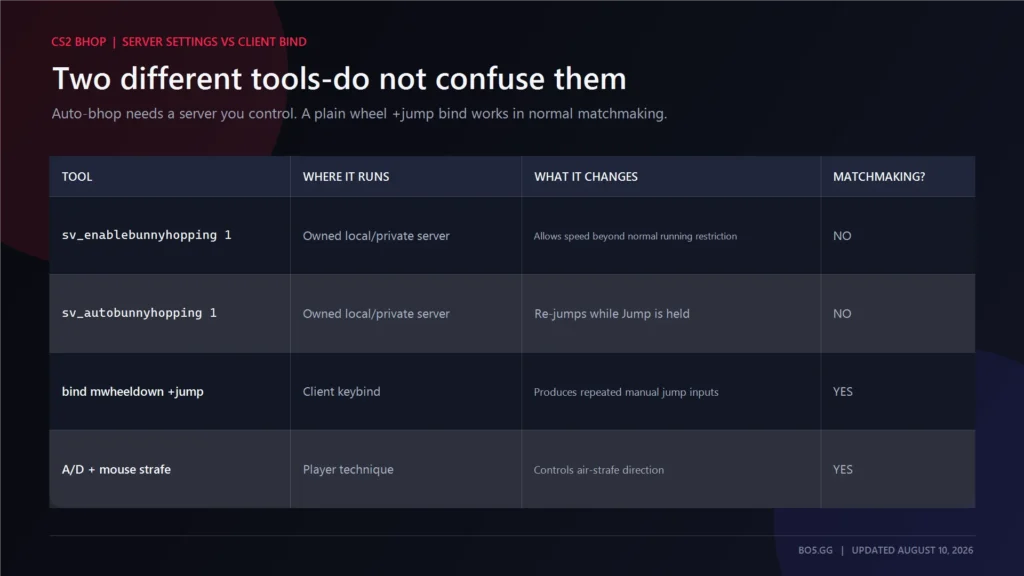
CS2 Bunny Hop Command: How to Enable Bhop
Enable auto-bhop on a CS2 server you control, adjust optional practice settings, use a matchmaking-safe wheel bind, and restore every value correctly.
August 9, 2026
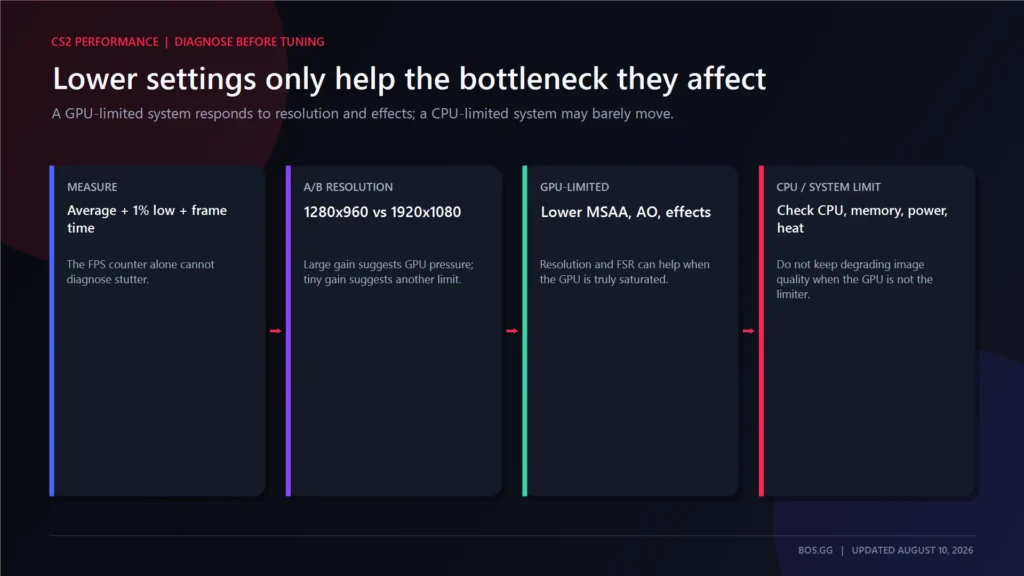
Best CS2 Settings for FPS and Lower Input Lag
Choose CS2 settings for your hardware and display, separate lowest latency from tear-free VRR, preserve competitive visibility, and benchmark every change.
August 9, 2026
CS2 Wallhack Command: See Through Walls With sv_cheats
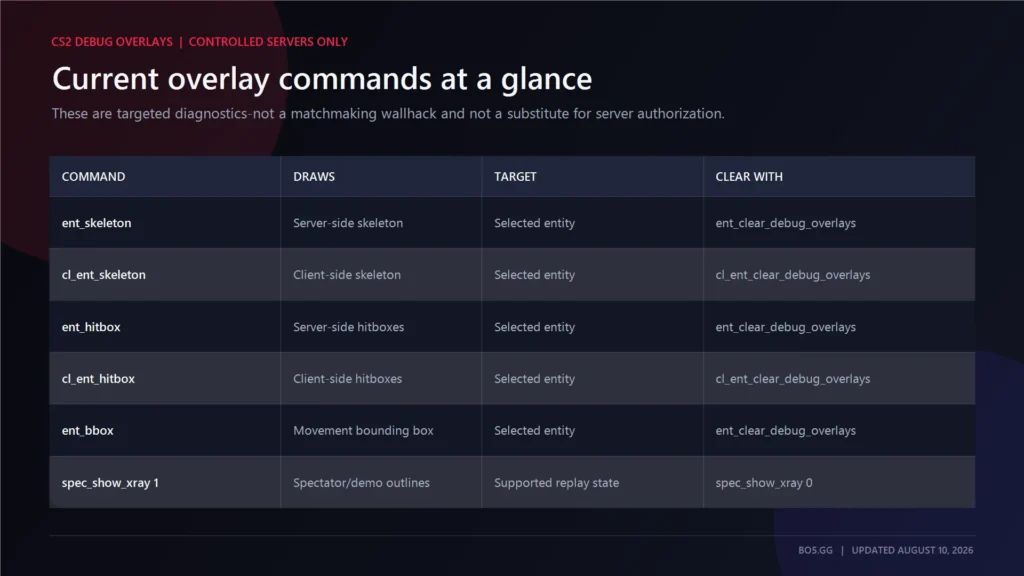
The old CS:GO wallhack command no longer works in Source 2. Learn how current targeted CS2 debug overlays work, where sv_cheats is allowed, and how demo x-ray differs.